By default, MyCustomr is built to be simple from the very first minute, with
almost nothing to set up. Connect a Facebook advert you’re already
running, for example, and you could be seeing your leads in under a minute.
For most people, that’s all they’ll ever need — a clear,
simple way to view every lead, working straight out of the box with nothing
to change.
Navigation
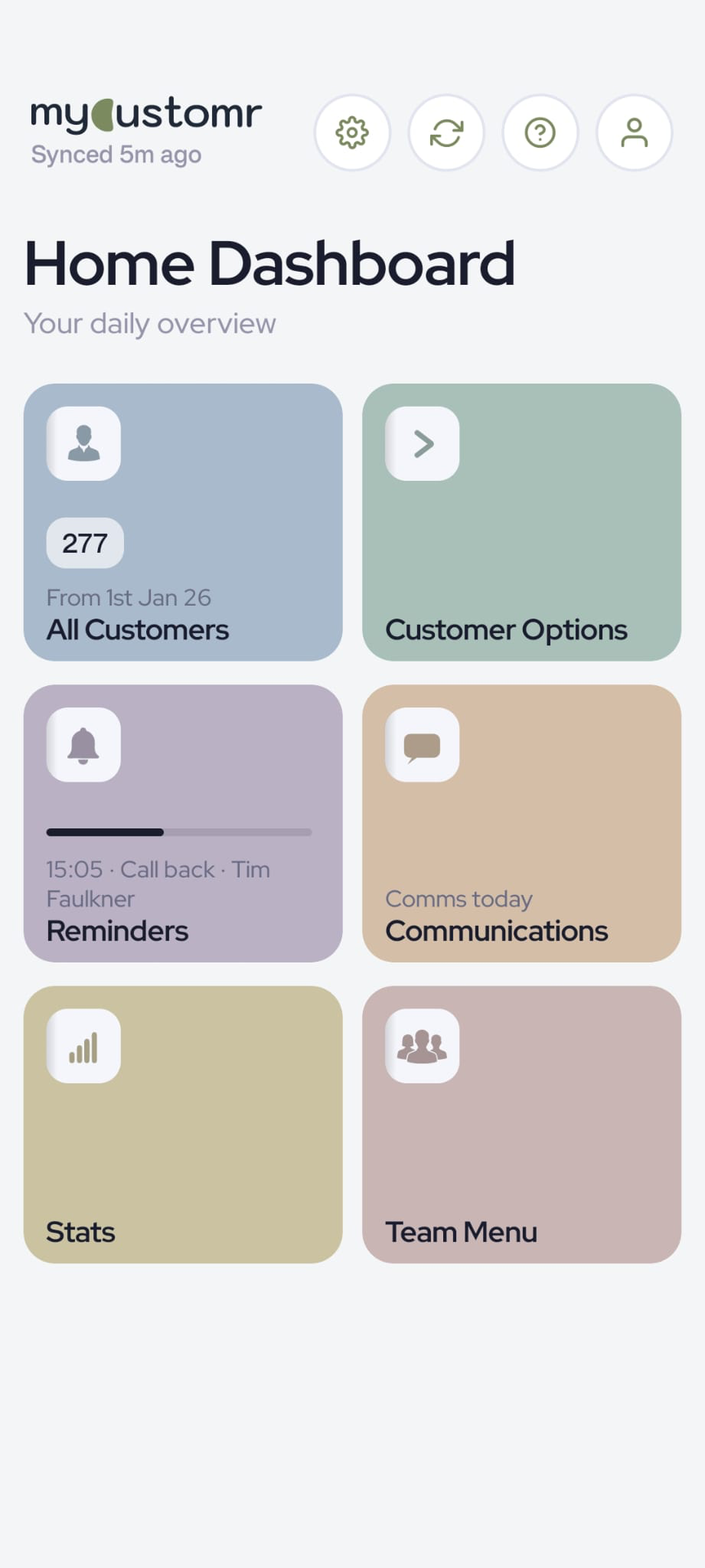
Easy-to-use navigation blocks give you instant access to the main
features of MyCustomr. Many carry a small summary or counter, so you get
a quick read on your leads at a glance — before you’ve even
tapped anything.
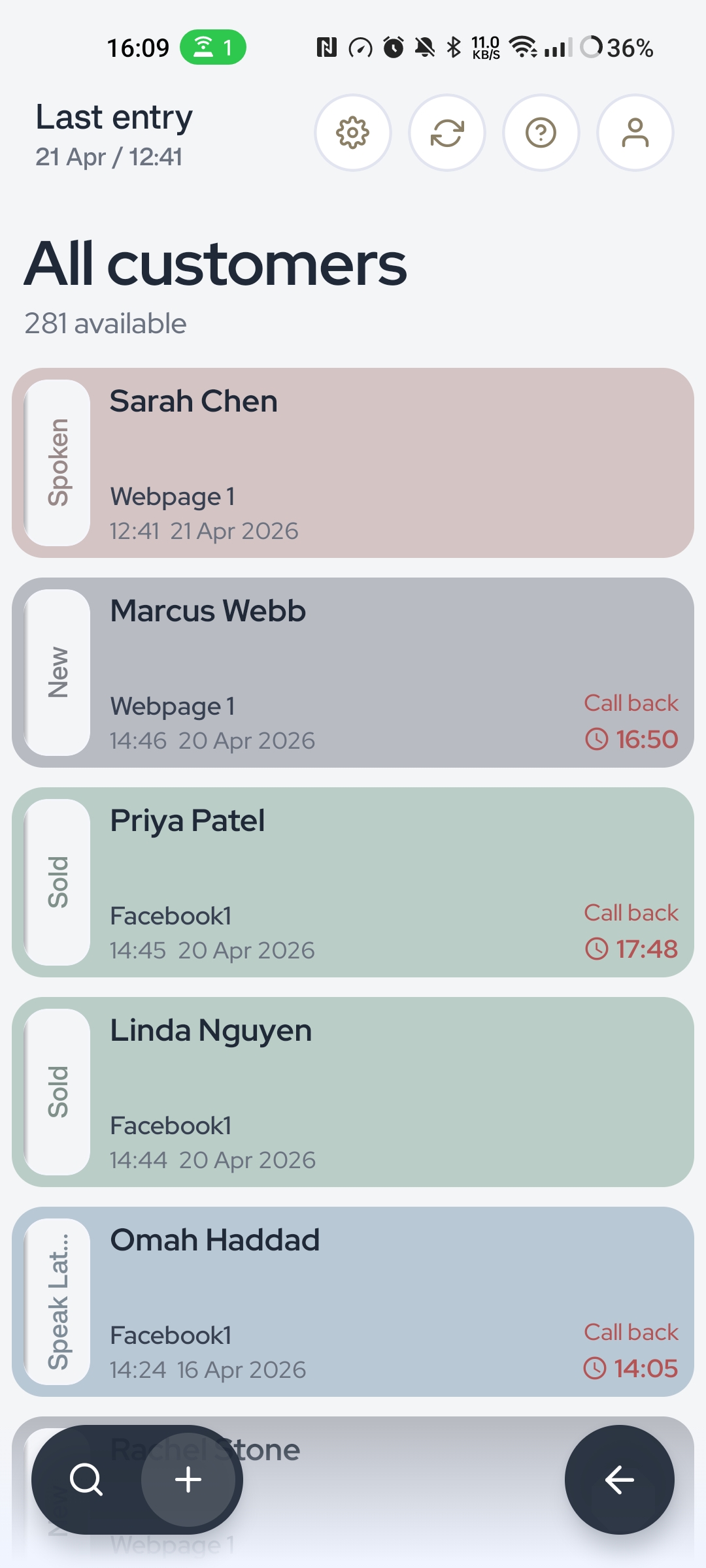
Every lead, one screen
Your leads and customers live in one simple list — newest first,
with the details you care about right on each row. No spreadsheets, no
five different inboxes, no scrolling back through chat history to find
who asked what.
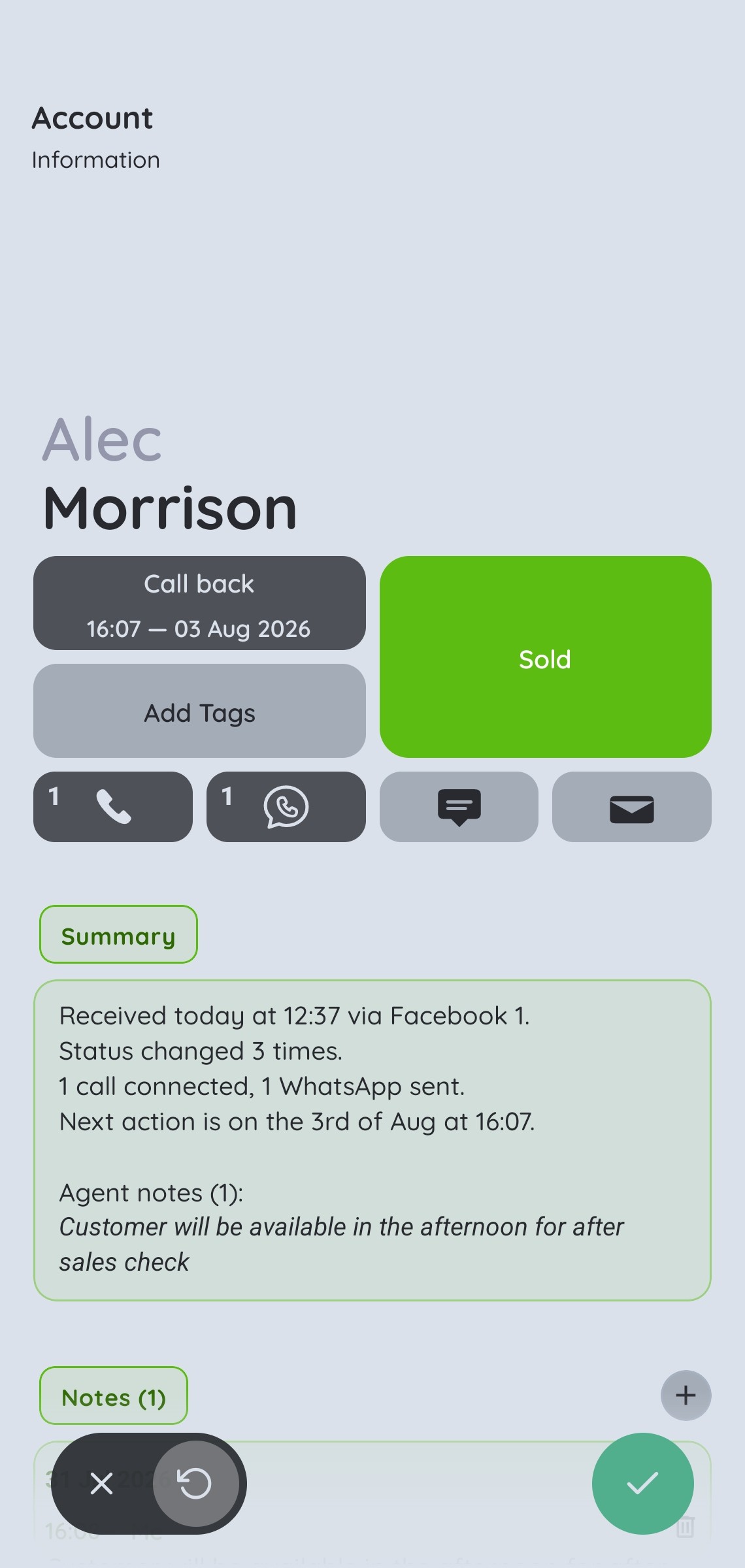
The info panel
Tap any lead to open their own page. Here you can add notes, change
their status, set reminders, see all their customer details and much
more.
Quick-action buttons along the top let you set a reminder, change the
status, send a message or make a call — all in a single tap.
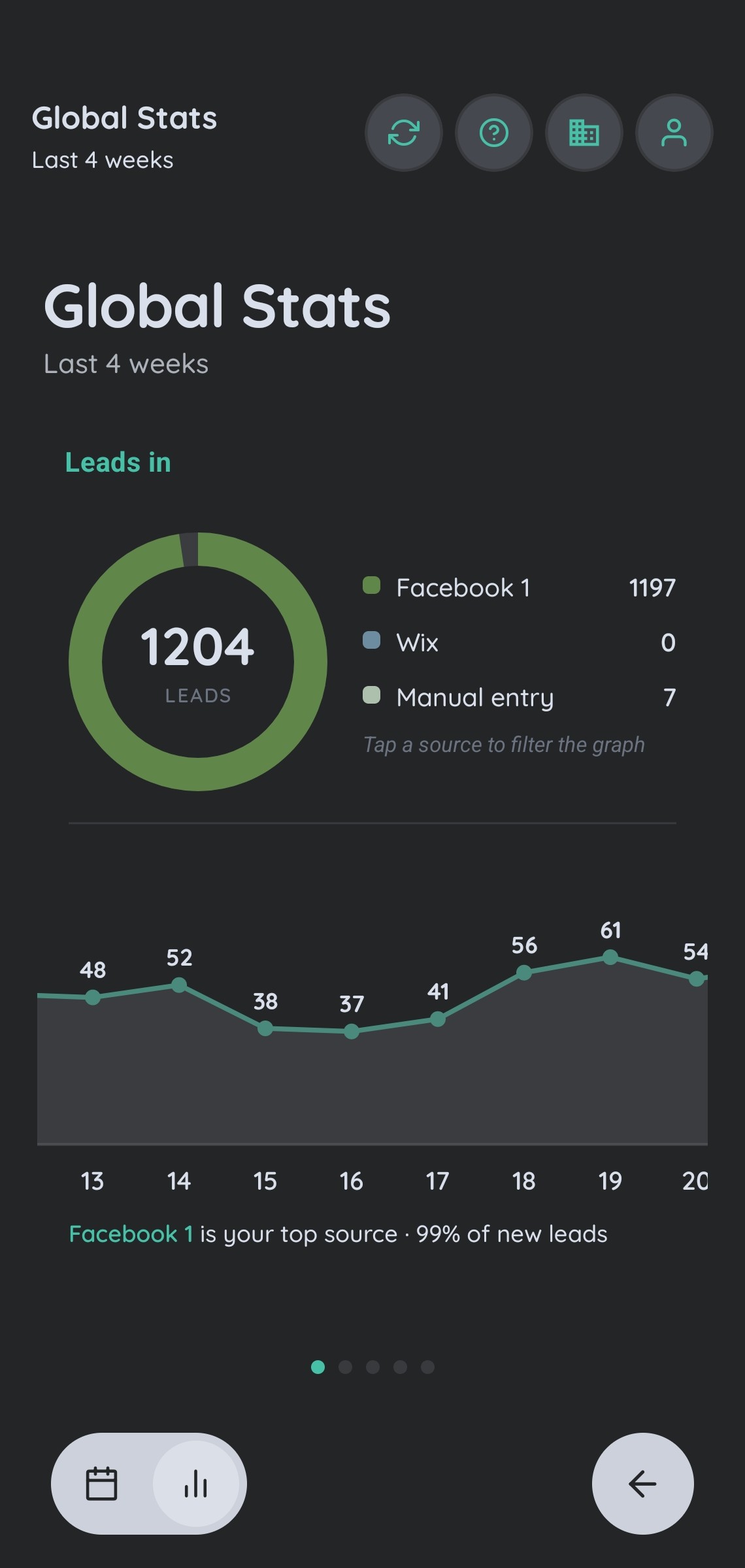
Overview of your business
Easy-to-read graphs and charts let you see your key stats across any
date range you choose. Several views come ready to go by default and, as
with most of MyCustomr, you can edit them to fit your business.
Your profile, your way
Make the app your own. Pick from a range of accent colours and switch
between Pro and Dark themes. Choose what information you send out to your
customers in messages, and decide how you hear about new leads —
with a notification, or instant live updates as they arrive.
Help on every page
MyCustomr is designed to be simple, but if you ever need a few tips or
pointers, they are only one button away — the Help page opens with
information for exactly what’s in front of you, without the need to
search.
One of you — or a whole team
MyCustomr works in two ways: single user or Team mode. As a single user,
everything you need is right in front of you. It’s the default, and
it’s all you need if you run a small business or work for yourself.
With Team mode switched on, you can add more users, hand out leads between
them, control what information they have access to and do everything else
you’d expect when you’re running a team — however big it
is — all from one account.
Small changes to suit your business
MyCustomr comes ready to go with sensible defaults: statuses like New,
Quoted and Sold, quick replies for WhatsApp, Email and SMS, a range of
reminder options and clear graphs. They’re a great starting point
— but your business is your own. From the settings menu you can add,
edit or remove almost any of these defaults, to make the app faster and
more unique to you:
Rearrange or edit the info panel, so you see only the information you need
Edit statuses to match the words you already use
Choose which navigation blocks appear, and the order they’re in
Change the information shown on your main lead blocks
Edit message templates — with details that write themselves in, like the customer’s name
Edit reminders to suit how you work
Create new graphs built around the data you want to see
Try it on your own leads.
The tour only shows so much — the 14-day free trial is the real thing, with your leads in it.